


Description
Download Wondershare InClowdz – Free Cloud Storage Migrator & Manager
What Is Wondershare InClowdz? – A Comprehensive Intro
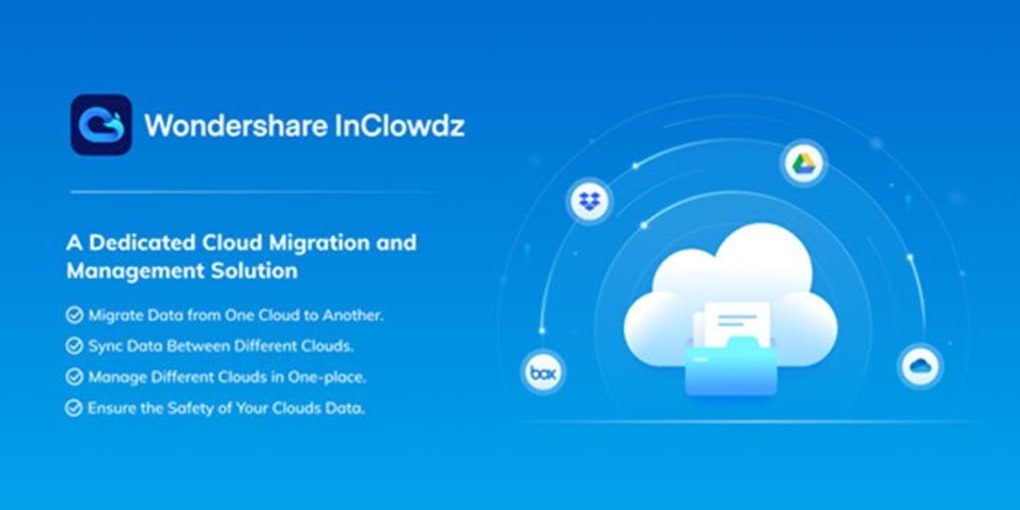
Wondershare InClowdz is a free cloud‑storage migration and management tool that lets you synchronize, move, and view files across the most popular online storage services without the hassle of manual downloads and uploads. Designed for both personal and small‑business users, InClowdz consolidates up to five cloud accounts—such as Google Drive, Microsoft OneDrive, Dropbox, Box, and iCloud—into a single, secure interface. The application’s primary goal is to eliminate the “password‑juggling” nightmare while providing a fast, drag‑and‑drop experience for transferring large data sets between providers. Whether you are shifting a photo archive from Dropbox to OneDrive, backing up project files from Google Drive to Box, or simply browsing your cloud library from a Mac, InClowdz offers a unified dashboard that presents thumbnails, video previews, and folder structures just like a local file manager. Because the service is free for up to five accounts, it is an attractive alternative to paid competitors like Acronis True Image or CloudFuze, especially for users who need occasional migrations rather than continuous enterprise‑grade backup. Security is baked in: all data transfers occur over TLS‑encrypted channels, and the app never stores your passwords on its servers. In short, Wondershare InClowdz gives you a streamlined, secure, and cost‑free way to keep your cloud ecosystem organized and synchronized.
Core Features & Benefits
- Unified dashboard for up to five cloud accounts (free tier).
- One‑click migration between Google Drive, OneDrive, Dropbox, Box, and iCloud.
- Real‑time file preview for photos, videos, and documents without downloading.
- Drag‑and‑drop interface mimicking native file explorers.
- Secure TLS encryption for all data transfers.
- Automatic sync of folder structures to preserve organization.
- Cross‑platform support for macOS, Windows, and limited Linux via web wrapper.
- Free unlimited edition for macOS with full feature access.
- Optional paid subscription to add more than five accounts and premium support.
- Batch processing for large‑scale migrations, reducing manual effort.
The feature set focuses on reducing friction. By allowing you to link multiple clouds simultaneously, InClowdz removes the need to remember which files reside where. Its batch migration tool can copy or move thousands of files in minutes, and the preview pane ensures you’re moving the right assets without opening each file. The free unlimited edition for macOS is especially valuable for power users who rely on several personal cloud services for different projects. Moreover, the optional subscription scales the solution for freelancers or small teams that need more than five linked accounts. Overall, the combination of a clean UI, strong security, and generous free tier makes InClowdz a compelling choice for anyone looking to streamline cloud storage management.
Step‑by‑Step Installation & First‑Time Use
Installing Wondershare InClowdz is straightforward and takes less than five minutes on most systems. Follow these steps to get up and running:
- Download the installer: Visit the official Wondershare website, locate the InClowdz product page, and click the “Download for macOS” or “Download for Windows” button. The installer file (a .dmg for macOS or .exe for Windows) will be saved to your Downloads folder.
- Run the installer: Double‑click the file and follow the on‑screen prompts. macOS users may need to confirm security permissions in System Preferences > Security & Privacy. Windows users should approve the UAC prompt.
- Create a Wondershare account (optional): While you can use InClowdz without an account, signing up enables cloud backup of your settings and access to premium support if you later upgrade.
- Add cloud services: Launch the app and click “Add Account.” Choose the desired provider (Google Drive, OneDrive, Dropbox, etc.) and authenticate using OAuth. Repeat for each service you wish to connect, up to the five‑account limit.
- Explore the dashboard: Once accounts are linked, you’ll see a sidebar listing each cloud service. Clicking a service opens its folder hierarchy. Use the preview pane to view files without downloading.
- Start a migration: Select files or folders, right‑click, and choose “Migrate To.” Pick the destination cloud from the dropdown, and confirm. InClowdz will display a progress bar and estimate completion time.
- Enable sync (optional): For ongoing synchronization, enable the “Auto‑Sync” toggle in Settings. The app will keep selected folders mirrored across linked clouds in real time.
The user interface is intentionally minimalistic: a left‑hand navigation pane, a central file view, and a right‑hand preview column. Keyboard shortcuts (e.g., ⌘+C / Ctrl+C for copy, ⌘+V / Ctrl+V for paste) work just like on your desktop, making the transition from local file management to cloud migration seamless. If you encounter any issues, the built‑in “Help & Support” menu directs you to a knowledge base and contact form. After the initial setup, everyday tasks such as moving a project folder from OneDrive to Google Drive take just a few clicks, saving you hours of manual work.
Compatibility, Pros & Cons
Supported Operating Systems
Wondershare InClowdz runs natively on macOS 10.13 (High Sierra) and later, as well as on Windows 10 (64‑bit) and Windows 11. A limited web‑based wrapper is available for Linux users, though full functionality is best experienced on the supported desktop platforms. Mobile apps are not currently offered, but the desktop client works well on laptops and tablets running the supported OS versions.
Pros
- Free tier supports up to five cloud accounts—generous for most personal users.
- One‑click migration eliminates the need for manual download/upload cycles.
- Secure TLS encryption ensures data privacy during transfers.
- Intuitive drag‑and‑drop UI mirrors familiar file‑explorer workflows.
- Batch processing handles large migrations efficiently.
- Cross‑platform support for macOS and Windows covers the majority of desktop users.
- Preview pane reduces the risk of moving incorrect files.
- Optional subscription expands account limit and adds priority support.
Cons
- No native mobile app—cloud management must be done on a desktop.
- Linux support is limited to a web wrapper, lacking full native features.
- Free version caps the number of linked accounts at five, which may be restrictive for power users.
- Advanced automation (e.g., scheduled migrations) is only available in the paid plan.
- Initial setup requires OAuth authentication for each provider, which can be time‑consuming for users with many accounts.
FAQ
Is Wondershare InClowdz really free?
Yes, the core application is free and allows you to connect up to five cloud storage accounts. A paid subscription is optional for users who need more accounts or advanced features such as scheduled migrations and priority support.
Which cloud services are supported?
InClowdz supports Google Drive, Microsoft OneDrive, Dropbox, Box, and iCloud. Additional services may be added in future updates based on user demand.
How secure are my files during migration?
All file transfers are encrypted with TLS 1.2 or higher, the same level of security used by major cloud providers. Wondershare does not store your passwords on its servers; authentication is handled through each provider’s OAuth system.
Can I sync folders automatically?
Yes. The free version allows manual migrations, while the paid tier adds an “Auto‑Sync” feature that keeps selected folders mirrored across all linked accounts in real time.
What are the system requirements?
macOS 10.13 (High Sierra) or later, Windows 10 (64‑bit) or Windows 11. A minimum of 2 GB RAM and 200 MB of free disk space are recommended for smooth operation.
Conclusion & Call to Action
Wondershare InClowdz stands out as a free, secure, and user‑friendly solution for anyone who juggles multiple cloud storage accounts. Its ability to migrate files with a single click, preview content instantly, and keep up to five services linked without cost makes it a strong alternative to pricier competitors. While the lack of a native mobile app and the five‑account ceiling in the free tier may limit power users, the optional subscription scales the product gracefully. If you spend valuable time moving files between Google Drive, OneDrive, Dropbox, or other major clouds, giving InClowdz a try will likely shave hours off your workflow. Download the installer today, link your accounts, and experience a smoother, more organized cloud ecosystem.
Overall Rating: 4.5 / 5
Pros: Free tier, intuitive UI, strong security, batch migration.
Cons: No mobile app, limited to five accounts on free plan.
Guides & Tutorials for Wondershare InClowdz
How to install Wondershare InClowdz
- Click the Preview / Download button above.
- Once redirected, accept the terms and click Install.
- Wait for the Wondershare InClowdz download to finish on your device.
How to use Wondershare InClowdz
This software is primarily used for its core features described above. Open the app after installation to explore its capabilities.
User Reviews for Wondershare InClowdz 0
No reviews found





.webp)